
Short answer
Keep a simple symptom log: for each thing you notice, write what happened in your own words, the date and time, how long it lasted, what was going on before, and what you did. Paper, a spreadsheet, a symptom tracker online or an app all work; the best one is the one you will still be using in a month. Before each visit, read back the last few weeks, write down what changed and your questions, and bring it along. You notice and record; your child's doctor interprets.
Key takeaways
- Write each entry in your own words, with the date, time, how long it lasted and what came before.
- A few daily notes (sleep, food and drink, bowel movements, mood, medicines given) make the symptom entries easier to read back.
- Paper, a spreadsheet, an online tracker and an app each have tradeoffs. Pick the one you will keep up.
- Before a visit, read back the last few weeks and write down what changed and what you want to ask.
- A log is for noticing, not deciding. If you are worried, call your child's doctor; in an emergency, call your local emergency number.
Why keep a symptom log
When you care for a child with a rare or complex condition, diagnosed or still looking for answers, a lot happens between visits. By the time you are in the exam room, it is hard to remember which week the bad nights started or how often something happened.
Children's hospitals and health sites give parents the same advice: write it down. Nemours KidsHealth suggests you "write down any symptoms your child has so that you can mention them even if the doctor doesn't ask" [2]. Children's Hospital of Orange County (CHOC) suggests bringing "a written timeline of signs and symptoms" and a note of when you first noticed that something was different [3].
A symptom tracker is a log. It does not tell you what a symptom means. Tools that try to guess a cause are symptom checkers, which are a different thing. This guide is only about keeping the log.
What to record in each entry
Keep each entry short. These details are the ones that are hard to remember later:
- What happened, in your own words. Describe what you saw and heard, not what you think it was. "Stared and did not answer for a few seconds" is more useful than a label.
- Date and time. MedlinePlus suggests describing when and where symptoms appear, how long you have had them and whether they have changed [1].
- How long it lasted. A rough length is fine: seconds, minutes, most of the afternoon.
- What was going on before. Sleep, food, a recent illness, a new medicine, a busy or unusual day.
- What you did. For example, sat with them, let them rest, called the care team.
- A photo or video note, only if your doctor asked for one. Write down that it exists and when you took it.
The same entry works for seizures, if the care team asked you to keep a seizure record: Nationwide Children's Hospital suggests you "write down how long the seizure lasts" [4]. Your child's care team explains what it means and what to do.
A symptom log table you can copy
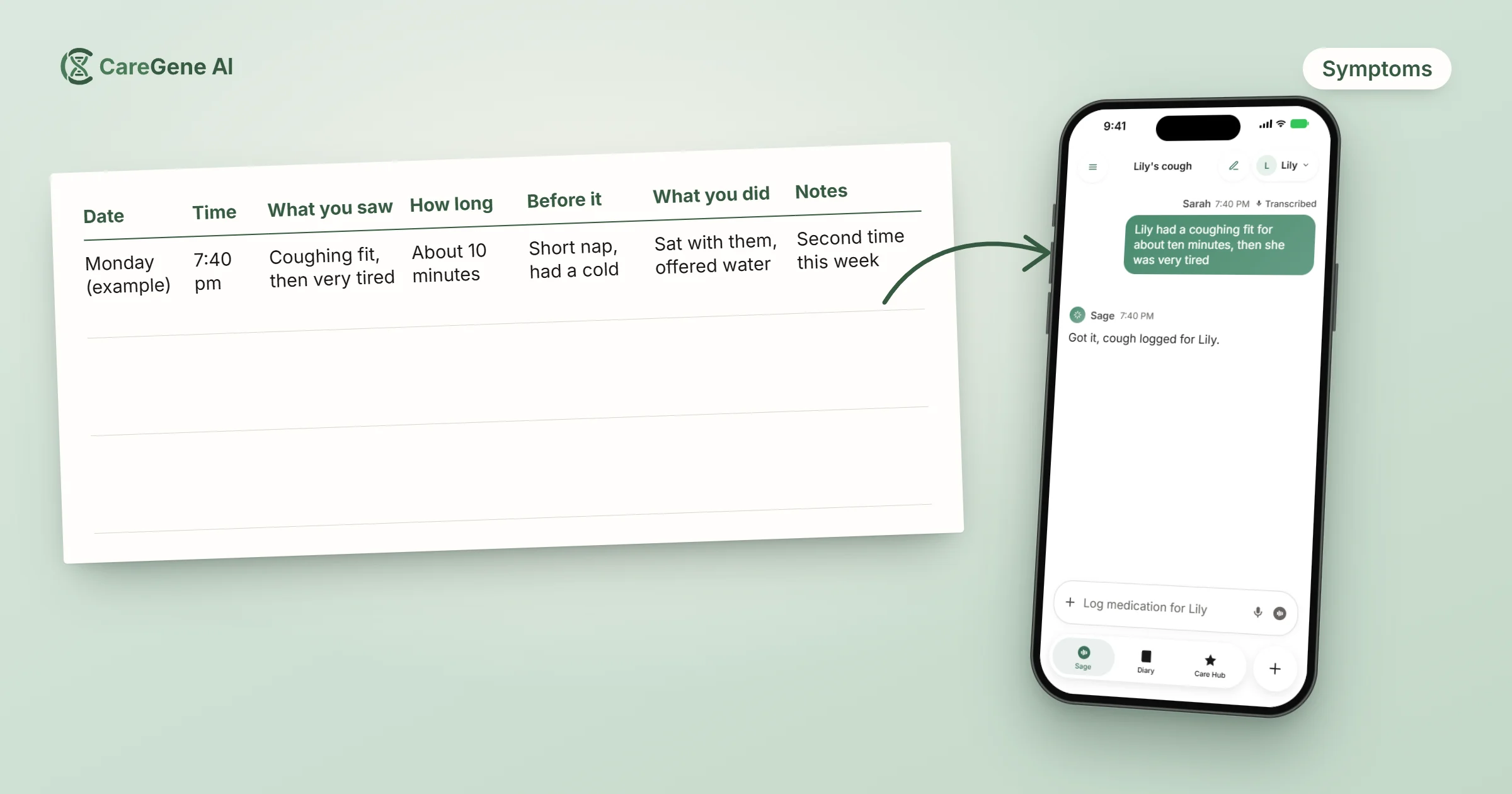
Copy this table into a notebook, a document or a spreadsheet. One row per thing you notice.
| Date | Time | What you saw | How long | Before it | What you did | Notes |
|---|---|---|---|---|---|---|
| Monday (example) | 7:40 pm | Coughing fit, then very tired | About 10 minutes | Short nap, had a cold | Sat with them, offered water | Second time this week |
Leave the notes column for anything that does not fit elsewhere: who saw it, a question it raised, whether a photo or video exists.
Daily notes that help
A few short daily notes give the symptom entries context. You do not need all of them every day. Pick the ones your child's care team cares about:
- Sleep: roughly when your child went to sleep and woke, and any long wake-ups.
- Food and drink: meals, how much they ate, new foods, how much they drank.
- Bowel movements: how often, and anything unusual.
- Mood: a word or two, such as settled, irritable, withdrawn.
- Medicines given: what was given and when, including missed or late doses. MedlinePlus also suggests writing down all medicines, vitamins and supplements before a visit [1]. Our guide on how to track your child's medications shows how to keep that list next to your symptom log.
A food and symptom diary on the same page makes it easier to see what happened on the same day, and to show it to the doctor.
Paper, a symptom tracker online, or an app: which to choose
There is no single right tool. Here is how the main options compare:
| Paper notebook | Spreadsheet or online tracker | App on your phone | |
|---|---|---|---|
| Cost | A notebook and a pen | Often free | Varies |
| Fast to use in the moment | Yes, if it is nearby | Slower on a phone | Usually, since your phone is with you |
| Easy to read back | Fine for a few weeks, harder after months | Easy to sort and filter | Depends on the app |
| Shared with another caregiver | Only if you pass it along | Possible with shared documents | Depends on the app |
| Bring to a visit | Bring the notebook | Print or show on screen | Show on screen, or whatever the app offers |
| Things to check | Keep it somewhere safe | Who can see the file | Who can see your data, and how you get your notes out |
Many parents mix them: a notebook by the bed at night, then typed up once a week. If a method keeps getting skipped, switch to an easier one rather than trying harder.
Getting ready for a visit
Before an appointment, read back the last few weeks, write down in a few lines what changed, "jot down your questions and concerns" [1], and bring the log itself. Our guide to the first 30 days after a diagnosis covers preparing for the next appointment. If you keep a binder, the symptom log can have its own section; our guide on how to organize medical records shows where it fits.
When to stop logging and call
A log is never a reason to wait. If you are worried, call your child's doctor; in an emergency, call your local emergency number.
The same method works for your own symptoms
If you want a chronic illness symptom tracker for yourself, the same entry format works: what happened, when, how long, what came before and what you did. MedlinePlus suggests writing these details down before your own appointments too [1].
Where CareGene fits
If typing a log at the end of a long day is hard, CareGene lets you say what happened or type it, and it files each entry by date in the Diary, including notes on food and sleep. Later, you can ask Sage about the last few weeks; Sage answers from your own records and shows where it found it. Before the next visit, you can bring a short summary of what changed. The summary gets better as you log, and in the first days there may not be enough to summarize. Your child's doctor still decides what it all means.
Frequently asked questions
What should a symptom log include?
For each entry: what happened in your own words, the date and time, how long it lasted, what was going on before, and what you did. A few daily notes on sleep, food and drink, bowel movements, mood and medicines given help too.
Is a symptom tracker online better than a paper symptom diary?
Neither is better for everyone. Paper is quick and needs nothing to charge; an online tracker or app is easier to search and share. Choose the one you will keep using.
How far back should I read before an appointment?
Reading back the last few weeks is a good start. Write down what changed and the questions you want to ask, and bring the full log in case the doctor wants the detail.
Should I film my child's symptoms?
Only if your child's doctor asked for a video, and only when you and your child are safe. Your child comes before the recording.
Does a symptom tracker tell me what a symptom means?
No. A tracker is a record of what you noticed. What it means is for your child's doctor to say. If you are worried, call your child's doctor; in an emergency, call your local emergency number.
Can I use the same method to track my symptoms as an adult?
Yes. The same entry format works for your own symptoms: what happened, when, how long, what came before and what you did.
Sources
- MedlinePlus (U.S. National Library of Medicine). Make the most of your doctor visit. https://medlineplus.gov/ency/patientinstructions/000860.htm (read 17 Nov 2026)
- Nemours KidsHealth. Getting the Most From a Doctor's Visit. https://kidshealth.org/en/parents/talk-doctor.html (read 17 Nov 2026)
- Children's Hospital of Orange County (CHOC). 5 tips for most effectively communicating with your child's doctor. https://health.choc.org/5-tips-for-most-effectively-communicating-with-your-childs-doctor/ (read 17 Nov 2026)
- Nationwide Children's Hospital. Seizure Care (Helping Hands). https://www.nationwidechildrens.org/conditions/seizure-care (read 17 Nov 2026)
Last updated